Jasmin & Matt Inc.
  • About
  • Services
  • Contact Us
Jasmin & Matt Inc.Jasmin & Matt Inc.Jasmin & Matt Inc.Jasmin & Matt Inc.
  • About
  • Services
  • Contact Us
  • About
  • Services
  • Contact Us

Contest! Win a free engagement / couple’s photo session

  • 0 comments/
  • February 27, 2014

We are excited to announce a contest we’re throwing for couples in and around the Montreal region. The rules are simple, just like our Facebook page www.facebook.com/jasminandmatt and enter the contest here – https://basicfront.easypromosapp.com/p/137340 

You can win a free engagement or couples photo session with Jasmin & Matt, a value of $400.

Contest runs until March 15th, 2014
Post by Jasmin & Matt Wedding Photography.


  • Under : Updates

Home Made Kalamata Olive Bagels

  • 0 comments/
  • February 21, 2014

_DSC4106

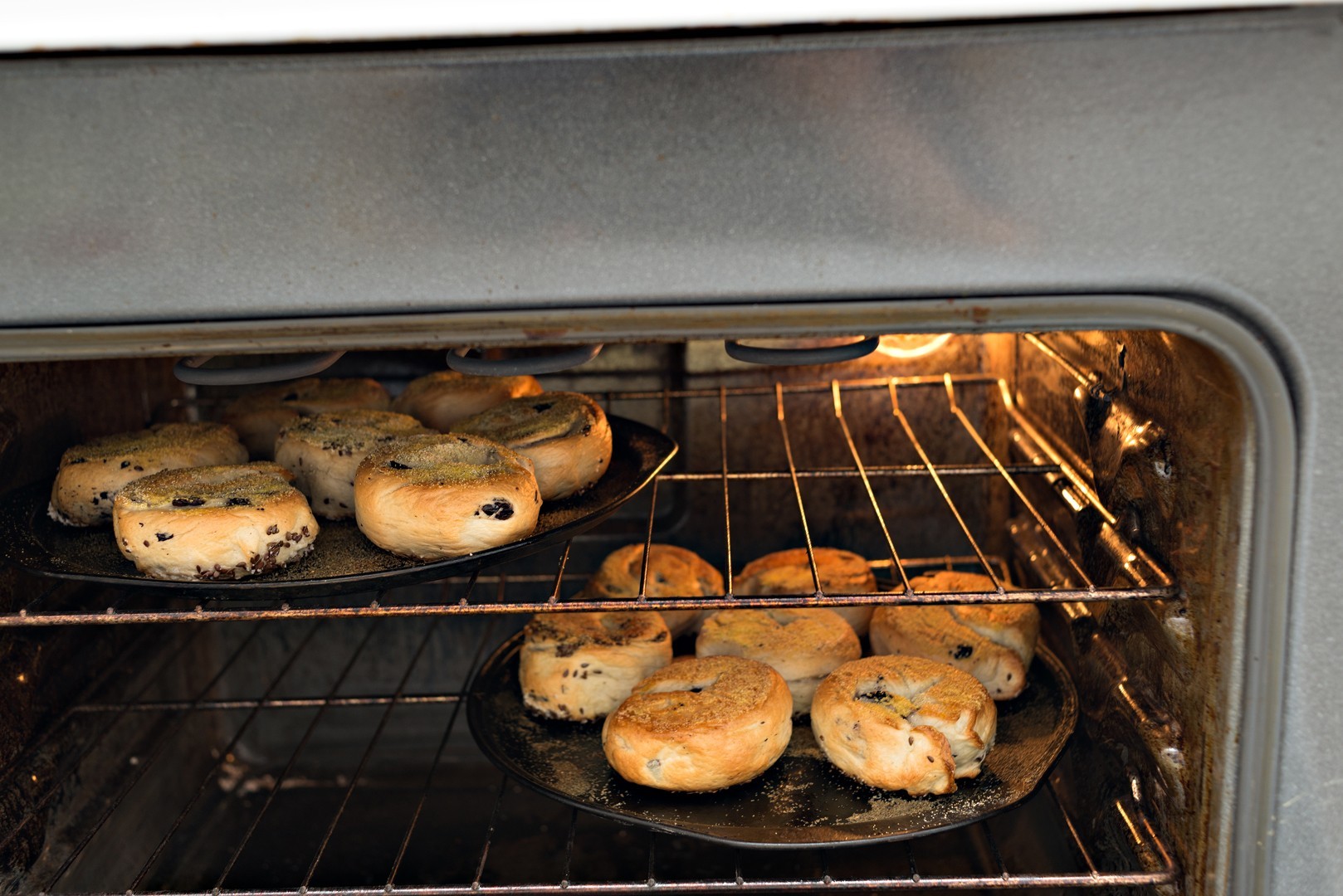
Alright. Where to begin? These bagels were FAR better than I could have EVER imagined they would be! They were superb, even on their own. Seriously, melt in your mouth. Everything about them was well worth the effort, and the patience, which I never have and is one of the main reasons I don’t like making anything that requires rise-times. But these were so worth it. Matt and I devoured them. It was hard not to. Learned a few valuable lessons, like using whole olives can be tricky, especially when attempting to roll out the logs to make the individual bagels. We had used less sliced olives and more whole ones, and I have made the amends to the recipe already, of what I would have done, rather than what we did. It is certainly nice to have full olives in there, as little random delicious surprises, just hard to work with so a minimal amount is ideal.

More at Chop, Stock & Two Extra Servings


  • Under : Stock & Two Extra Servings

Meatless Meatloaf featuring Mushrooms, Tofu & Lentils

  • 0 comments/
  • February 6, 2014

New blog post on Chop, Stock & Two Extra Servings

This meatless “meat” loaf is based off of the recipe from Andrew Olson of One Ingredient Chef fame. There were minor adjustments and alterations, as is often the case when I get my hands on a recipe. I can rarely ever follow one to a tee, and would always much rather take the ingredients and such as inspiration but with a few twists, often based on ingredient availability, and using items in my pantry that I think could compliment the recipe nicely. In this version, I changed some of the dried herbs, as listed in both the ingredients and the instructions. I also did not try my hand at homemade ketchup that was required, and opted instead to use some of a canned pasta sauce I already had open and available in the fridge. That being said, I don’t doubt that this recipe wouldn’t be absolutely divine followed as outlined by Mr OIson, considering the other recipes I have experimented with have been equally as delicious.

Meatless Meatloaf

  • Under : Stock & Two Extra Servings

Adobe Photoshop Tutorial – Making your photos POP! With Unsharp Mask

  • 0 comments/
  • February 1, 2014

This is a quick Adobe Photoshop tutorial for making your photographs really come to life using a few simple tools. Along with this tutorial I will include a couple of handy Adobe Photoshop actions allowing you to quickly apply this process in one simple step. Lets begin!

First and foremost this process should be one of your final steps in your photo editing. Use this once you’ve already corrected for white balance and any other colour corrections, as well as any skin touch ups that you plan on doing.

Once you’re done with all your main touch ups, create a new master layer first by selecting your top layer (Alt + . ) and then clicking Alt + Ctrl + Shift + E ( Cmd + Opt + Shift + E on a Mac) This will create a top layer with all of your previous adjustments applied.

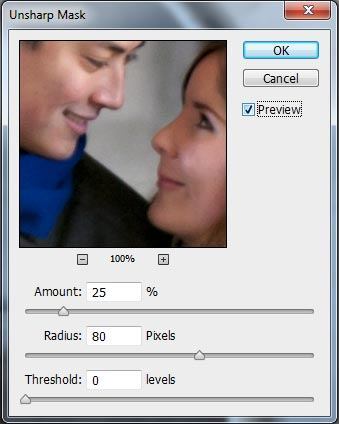
With the new top layer selected go Filter >> Sharpen >> Unsharp Mask

Unsharp Mask

The settings you want to apply are:
Amount: 25%
Radius: 80 Pixels
Threshold: 0 Levels

And click OK

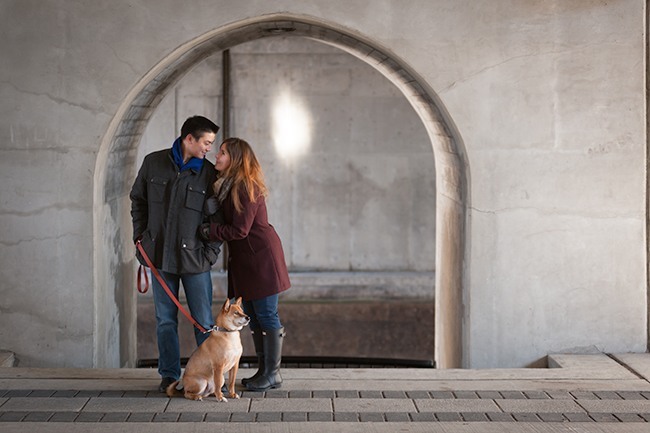
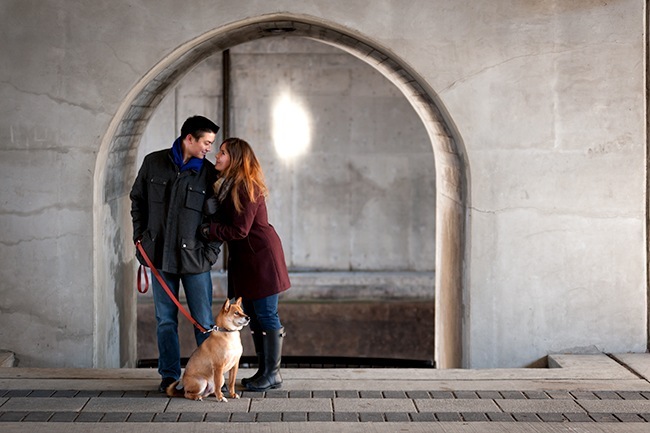
That’s it! A simple adjustment in which you will see a slight increase in mid-tone contrast that will really bring your photograph to life.

Unsharp Mask BeforeUnsharp Mask After

After applying this process I would also suggest using “smart sharpen” to sharpen your final photo and also convert your colour space from Adobe RGB or ProPhoto RGB (which ever setting you have on your camera) to sRGB as this colour space will look best on the web and also ensure proper colours when printing on standard inkjet photo printers.

Here are the Adobe Photoshop actions so that you can make this adjustment in one simple step. In this action set I’ve also included an action for smart sharpen and conversion to sRGB.

Unsharp Mask Action Set

Enjoy!


  • Under : Adobe Photoshop Tutorial

Jasmin & Matt Photography
Love our Work?
If we've had the pleasure to work with you, or you just love our photography leave us a review and let us know.

Recent Posts
  • June 11th 2025 – Winnipeg Sea Bears vs Montreal Alliance
  • Updated Booking & Cancellation Policies due to COVID-19
  • Caye Caulker, Belize
  • 9 Ways to Plan for Your Perfect Destination Photo Session
  • the Start of a New Decade
Archives
  • June 2025
  • May 2020
  • March 2020
  • January 2020
  • October 2019
  • August 2019
  • April 2019
  • November 2018
  • June 2018
  • May 2018
  • March 2018
  • January 2018
  • November 2017
  • August 2017
  • June 2017
  • January 2017
  • December 2016
  • September 2016
  • July 2016
  • June 2016
  • May 2016
  • March 2016
  • December 2015
  • October 2015
  • August 2015
  • July 2015
  • June 2015
  • April 2015
  • March 2015
  • February 2015
  • January 2015
  • December 2014
  • November 2014
  • October 2014
  • September 2014
  • August 2014
  • July 2014
  • June 2014
  • April 2014
  • March 2014
  • February 2014
  • January 2014
  • December 2013
  • November 2013
  • October 2013
  • September 2013
  • August 2013

email: [email protected]

Riviera Maya & Cancun wedding photography by Canadian Photographers Jasmin & Matt. Photographing once in a lifetime moments is our passion. Intimate & breathtaking photography throughout the Yucatan Peninsula including Isla Mujeres, Cancun, Puerto Morelos, Playa del Carmen, Cozumel, Puerto Aventuras, Akumal & Tulum

Five-star rated Cancun wedding & photographers in the Mexican Mayan Riviera, including Isla Mujeres, Cancun, Playa del Carmen, Puerto Morelos, Tulum & Cozumel.
 on Facebook & BestDestinationWedding.com

Message us today for more information about our wedding photography packages & pricing.

Get in touch

Riviera Maya & Cancun Wedding Photography by Canadian Photographers Jasmin & Matt. We are Wedding Photographers based out of Playa del Carmen & working throughout the Yucatan Peninsula including Cancun, Isla Mujeres, Puerto Morelos, Cozumel, Puerto Aventuras, Akumal & Tulum.

Recent Posts
  • June 11th 2025 – Winnipeg Sea Bears vs Montreal Alliance June 12,2025
  • Updated Booking & Cancellation Policies due to COVID-19 May 12,2020
  • Caye Caulker, Belize March 25,2020
  • 9 Ways to Plan for Your Perfect Destination Photo Session January 29,2020
Jasmin & Matt Photography Featured on Your Perfect Wedding Photographer
Jasmin & Matt Photography Featured on SnapKnot
Jasmin & Matt Photography

Copyright Jasmin & Matt Inc. 2022 - All Rights Reserved